Contour Settings, field by field
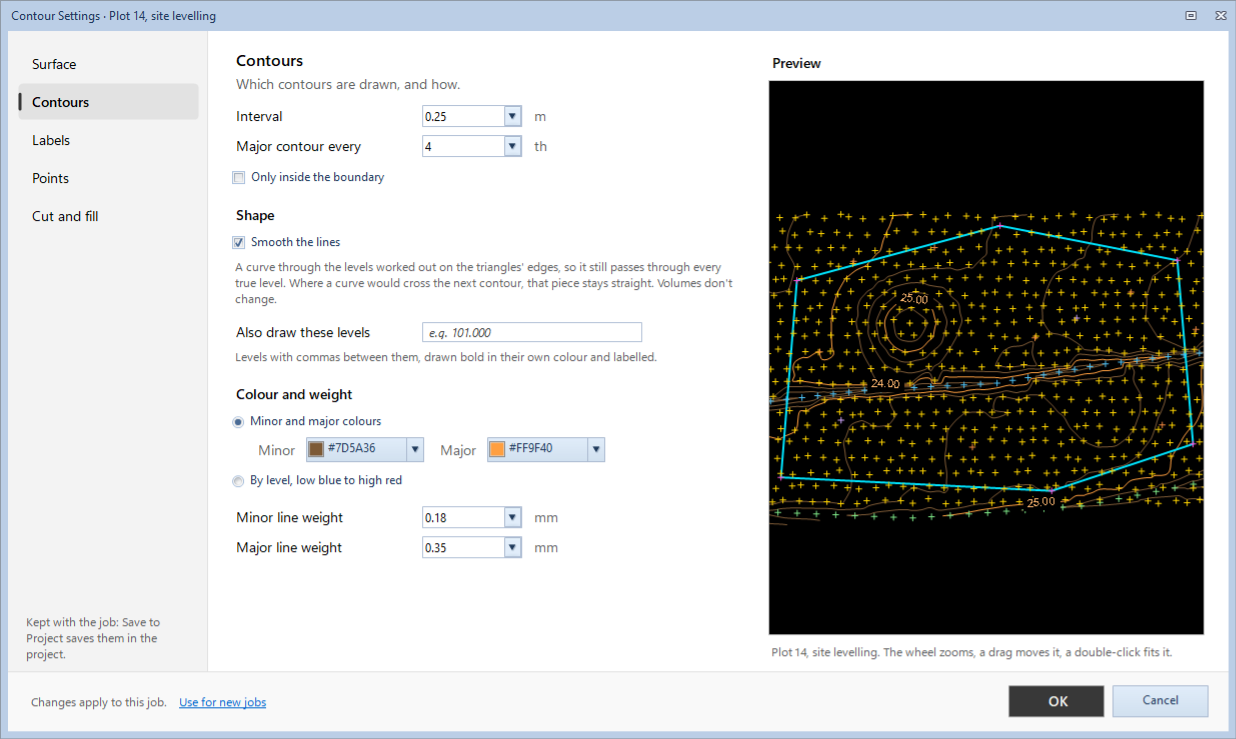
Contour › View › Settings (F8) has five pages: Surface, Contours, Labels, Points and Cut and fill. The preview on the right shows the job as you change them (the wheel zooms, a drag moves it, a double-click fits it). Changes apply to the job open; tick Use for new jobs to start new jobs with them too.
For the Cross Section screen's settings, see Section Settings.
Surface
How the TIN is made from the points. Changing these marks the results on this job out of date.
| Field | What it does |
|---|---|
| Breaklines: Join the points coded | Tick a code to join its points, in the order they were surveyed, so no triangle crosses them (a drain, a bank top, an edge of pavement). |
| Edges: Longest triangle side (m) | Longer triangles are left out at the edges of the survey. |
Contours
Which contours are drawn, and how.
| Field | What it does |
|---|---|
| Interval (m) | The height between one contour and the next. |
| Major contour every | Every so many contours is a major one (bolder, labelled). |
| Only inside the boundary | Contours are drawn inside the job's boundary only. |
| Smooth the lines | A curve through the levels worked out on the triangles' edges, so it still passes through every true level. Where a curve would cross the next contour, that piece stays straight. Volumes don't change. |
| Also draw these levels | Levels with commas between them, drawn bold in their own colour and labelled (a full tank level, a road level). |
| Colour and weight | Minor and major colours, or By level, low blue to high red; Minor line weight and Major line weight in mm. |
Labels
The levels written on the contours.
| Field | What it does |
|---|---|
| Which contours | Major contours, All contours or None. The levels also drawn are always labelled, unless None is chosen. |
| Where | Along the line, every so many mm on the sheet, At the middle of each line, or At both ends. |
| Break the line under the text | The contour stops under its label, so the label reads clearly. |
| Text height on the sheet (mm) and Decimals | The labels' size on paper, and how many decimals they show. |
Points
The surveyed points and their levels.
| Field | What it does |
|---|---|
| Show points, coloured by code | Each point as a cross, in its code's colour. |
| Point names | Each point's name beside it. |
| Spot levels | Each point's level beside it, with its own Decimals and Text height on the sheet (the names take the same height). |
Spot Levels on the ribbon's View group shows or hides them. Names and spot levels show on the plan when it is zoomed in, and always on the printed sheet.
Cut and fill
How a result is shown.
| Field | What it does |
|---|---|
| Shading | By depth, stronger where it is deeper, or Plain; the Cut and Fill colours and the Strength. |
| Zero line | Its colour, Dashed or Solid. |
| Formation contours, with a fall | The colour of the formation's contours when a result has a fall. |
| Water | The colour of the water in a pond result. |
| Grid shows | Cell numbers, Ground level at the nodes, and Depth at the nodes, cut (+) and fill (−). |
These show while a result is shown on the plan. Cut / Fill (Water for a pond), Zero Line and Grid on the ribbon's View group show or hide them.